
How to build a customer portal: features, cost and build options
For operations and product leads weighing up a portal: what one is, the five things it has to get right, how to choose between off-the-shelf and bespoke, and what it costs to build.
- Author
- Andrew Ward
- Managing Director
- Last reviewed
- Reading time
- 8 min

In this guide
- 01What a customer portal actually is
- 02The five things every portal has to get right
- 03Scope it around the work you want to remove
- 04Build options: off-the-shelf, a module, or bespoke
- 05What a portal costs and how long it takes
- 06Integration is where portals succeed or fail
- 07What we see go wrong
- 08Before you commission anything
In summary
A customer portal is a secure, logged-in area where your customers do business with you directly — checking status, submitting requests, downloading documents — instead of emailing someone who then does it by hand. This guide covers the features every portal needs, the three build routes and how to pick between them, what a build costs and how long it takes, and the failure modes we see most often on portal projects.
Key takeaways
- A portal replaces a manual back-and-forth, so scope it around the emails and phone calls you want to stop receiving — not around a feature list.
- Five things decide whether a portal works: authentication, permissions, the data it shows, the actions it allows, and the notifications it sends.
- Integration is the difference between a portal and a second place to type things. If it cannot read your existing systems, staff keep doing the work twice.
- In our projects a portal is built in fixed two-week sprints, with most first releases live within 2 to 8 weeks — typically 2 to 4 sprints.
- Our quote page is blunt about the floor: a bespoke build under £7.5k is unlikely, and most of our projects are more than that.
What a customer portal actually is
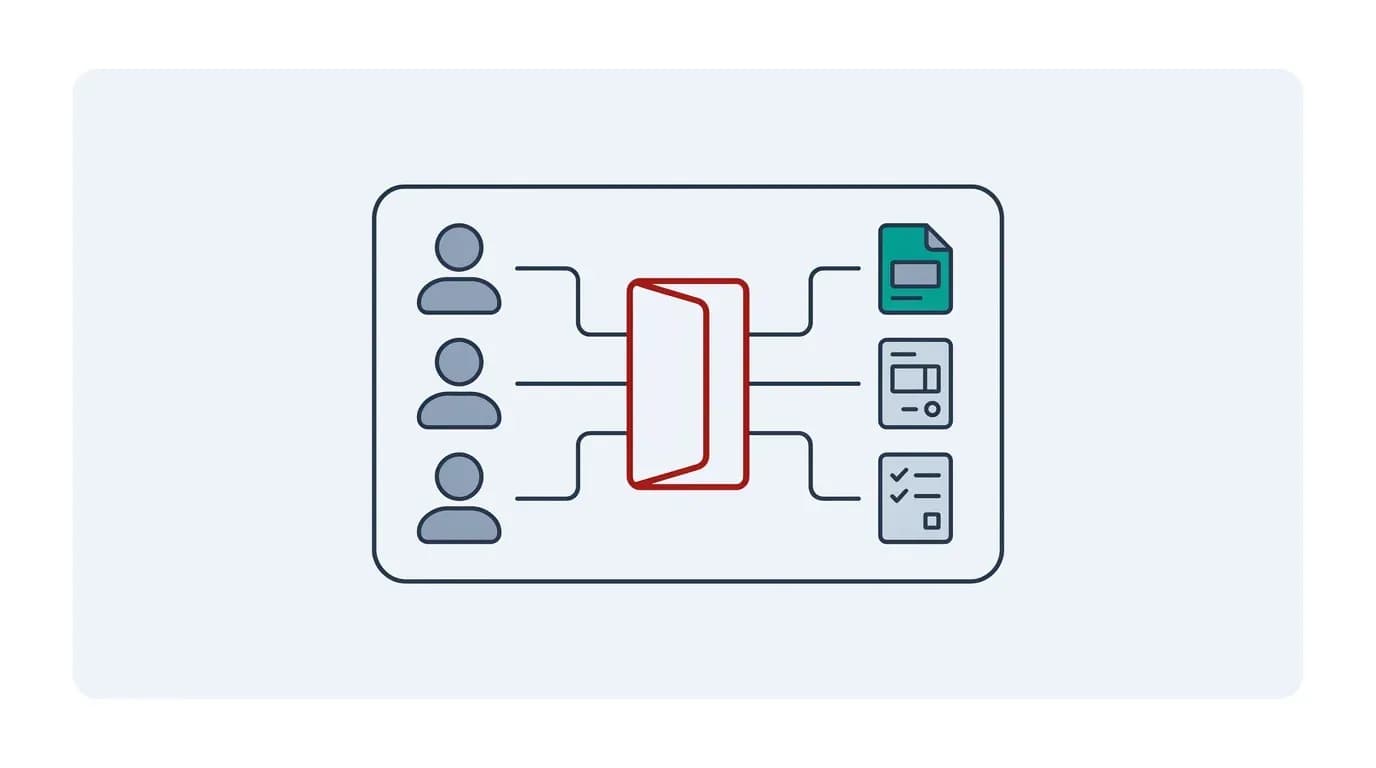
A customer portal is a secure, logged-in area of your website where customers do business with you directly rather than by email or phone. They check the status of an order, submit a request, download an invoice, update their own details or see the documents that relate to them — and each of those actions writes straight into your systems instead of landing in an inbox for someone to process by hand.
That last clause is the whole point, and it is where the term gets muddled. A brochure website tells people about you. A portal lets them transact with you. If a logged-in area only shows PDFs that someone uploads manually each month, you have built a filing cabinet with a password, not a portal.
Portals fall into three broad shapes, and we have built all three across over a decade of portal projects:
- Internal portals, where your own team logs in to run a process — job records, timesheets, inspections, approvals.
- Client portals, where your customers or partners self-serve. This is what most people mean by "customer portal".
- SaaS portals, where the portal is the product and you licence access to it.
The build is broadly similar. What differs is who signs in, how sensitive the data is, and whether you are charging for access.
The five things every portal has to get right
Almost every portal problem we are asked to fix traces back to one of five foundations. Get these right and features are easy to add later; get them wrong and every later feature inherits the flaw.
- Authentication — how someone proves who they are. For a business audience this usually means single sign-on against the customer's own identity provider, and multi-factor authentication as standard. The NCSC recommends multi-factor authentication on any online service holding customer data, and for a portal it is not an optional extra.
- Permissions — who can see and do what. This is the part that is consistently underestimated. A portal serving businesses needs hierarchies: a head-office user who sees every site, a site manager who sees one, a contractor who sees only their own jobs.
- The data it shows — read access to the real, current record. A status that is 24 hours stale generates the phone call the portal was supposed to prevent.
- The actions it allows — writes, not just reads. Raising a request, approving a quote, uploading a document, cancelling something.
- The notifications it sends — what triggers an email or a message, to whom. Portals die quietly from having no reason to return to them.
Scope it around the work you want to remove
The most useful scoping exercise for a portal has nothing to do with features. Go through a week of inbound email and calls, and count what people are actually asking for. Then group them.
You will usually find that a small number of question types account for most of the volume: where is my order, can you send me a copy of, can you change, who do I speak to about. Those groups are your portal's first release, in that order. Everything else is a later sprint.
This matters because it gives you a test for every proposed feature: how many inbound messages does this remove, or how much revenue does it unlock? A feature that answers neither is not wrong, it is just not first. We have watched more portal budgets go on carefully built screens nobody opened than on anything else.
It also gives you the adoption argument. A portal succeeds when using it is faster for the customer than emailing you. If your portal takes six clicks to do what one email does, they will keep emailing, and you will have paid for both channels.
Build options: off-the-shelf, a module, or bespoke
There are three honest routes, and the right one depends on how unusual your process is.
- An off-the-shelf portal product. Best when your process is close to a common pattern, such as standard support tickets or standard invoicing. The trade-off: fast and cheap to start, but you adapt your process to the tool and pay per user, indefinitely.
- A module on a platform you already run. Best when your CRM, ERP or accounting platform offers a customer-facing add-on. The trade-off: the cheapest integration, because the data is already there, but you are limited to what that vendor exposes and you inherit their roadmap.
- A bespoke build, meaning custom software written for you. Best when your process is genuinely yours, the permission hierarchy is unusual, or the portal is the product you sell. The trade-off: it fits the business exactly and you own it, but the up-front cost is higher and you carry the maintenance.
The question that decides it is not "how much do we want to spend". It is whether the process you are automating is a competitive advantage or just overhead. Overhead should be bought off the shelf as cheaply as possible. An advantage — a tiering model competitors cannot copy, a compliance workflow that wins you contracts — is worth building, because the off-the-shelf version will force you to work like everyone else.
Be wary of the middle path where you buy a product and then pay for heavy customisation. That combination often costs more than a bespoke build and leaves you unable to upgrade.
What a portal costs and how long it takes
We publish a floor rather than a price list, because the honest answer depends entirely on the number of user types and integrations. Our quote page puts it plainly: apps and portals take hundreds of hours to design and build, so a bespoke project under £7.5k is unlikely, and most of our projects are more than that.
On timing, in our projects a portal is built in fixed two-week Velocity Sprints, and most projects aim to launch a usable first version within 2 to 8 weeks — typically 2 to 4 sprints. You commit one sprint at a time rather than to the whole programme up front. Before that, a Quickstart App Planning engagement produces the scope and estimate, and typically completes within 3 to 6 weeks.
Payment usually tracks delivery rather than arriving as one invoice. The worked example on our quote page is a £20,000 project running three months, split into four payments: a deposit, then one at the end of each month.
Three things drive the number more than anything else:
- How many distinct user types need different permissions. Two is straightforward. Five with a hierarchy between them is a different project.
- How many systems it integrates with, and whether those systems have a usable API.
- Whether you need it to work offline, which turns a web portal into an app problem.
Integration is where portals succeed or fail
A portal with no integration is a second place for your staff to type things, and it makes the workload worse rather than better. The test is simple: when a customer does something in the portal, does anyone have to re-enter it anywhere? If yes, the project is not finished.
This is why system integration usually accounts for more of a portal build than the screens do. The screens are the visible part; the work is in reading and writing your CRM, ERP, accounting or job-management system reliably, handling the cases where those systems are unavailable, and deciding which system is authoritative when two disagree.
On portal builds we have consistently found that the integration surface is discovered, not specified. The client's stated list of systems is accurate; the list of exceptions — the spreadsheet one team keeps, the legacy database behind one report — comes out in week two. Budgeting a scoping phase rather than guessing is what keeps that from becoming a change request.
What we see go wrong
Four failure modes account for most of the portal rescues we are asked to take on:
- Permissions bolted on late. Retrofitting a hierarchy into a system built for one user type is close to a rewrite. Decide the permission model before the first screen.
- No reason to come back. No notifications, no status changes worth checking. Usage decays within a month of launch.
- Launching to everyone at once. A portal is a change of habit for your customers. Piloting with a handful of accounts surfaces the confusing bits while the cost of changing them is still low.
- Nobody owning it after launch. A portal is a product, not a project. Someone has to own what gets added next, or it silently becomes the thing everyone works around.
If you have inherited a portal that is already in trouble, a fixed-fee App Rescue Assessment answers the one commercial question worth answering first — whether the existing build can be stabilised or should be replaced. A Standard assessment is £3,000 + VAT, and most complete within a few working days once we have repository and demo access.
Before you commission anything
Write down, on one page: who logs in, what each of those people can see, what they can do, what your systems have to tell the portal, and which three inbound questions the first release removes. That page is a better brief than most specifications we receive, and it will tell you within a paragraph or two whether you need a bespoke build or a product off the shelf.
Two more lines are worth adding while you are there. First, your data-protection position: a portal holding customer records brings UK GDPR obligations with it, and settling retention and access rules on paper is far cheaper than discovering them during a security review. Second, accessibility — building to WCAG 2.2 from the first screen costs very little and is close to impossible to retrofit once every screen exists.
If you want a figure against your own version of that page, ask for a free quote — we will come back with our thoughts, a realistic plan and a rough cost.
Frequently asked questions
A website tells people about your business; a customer portal lets them transact with it. The portal sits behind a login, shows each customer their own data, and writes their actions back into your systems. If a logged-in area only shows files someone uploads by hand, it is a document store rather than a portal.
In our projects portals are built in fixed two-week sprints, and most aim to launch a usable first version within 2 to 8 weeks — typically 2 to 4 sprints. Scoping comes first: a Quickstart App Planning engagement typically completes within 3 to 6 weeks and produces the scope and estimate you build against.
Buy off the shelf when the process you are automating is overhead and close to a common pattern. Build when the process is genuinely yours — an unusual partner hierarchy, a compliance workflow that wins contracts — or when the portal is the product you sell. Beware buying a product then paying for heavy customisation; that often costs more than building.
Almost always, yes. A portal with no integration is a second place for staff to type things, which increases the workload instead of reducing it. The test is whether anyone has to re-enter what a customer submits. Integration typically accounts for more of the build than the screens do.
It depends on the number of user types and integrations, so we publish a floor rather than a price list. Our quote page states that a bespoke project under £7.5k is unlikely and most of our projects are more than that. For a figure against your own scope, ask for a free quote.
Terms used in this guide
Key topics covered
- What a customer portal is
- Internal, client and SaaS portals
- The five core features
- Scoping around the work you want to remove
- Off-the-shelf vs module vs bespoke
- Cost and timeline
- Integration and single sign-on
- Security and UK data protection
- Common failure modes
Sources referenced
Get a cost estimate for your portal
Tell us who logs in and what they need to do. We will come back with our thoughts, a realistic plan and a rough cost estimate.

About the author
Andrew Ward
Managing Director
Andrew Ward is the founder and Managing Director of Scorchsoft and author of The Control Standard, Execute Your Tech Idea and The ChatGPT Guide for Business. With more than sixteen years of experience building software and running a business, he writes about practical ways to apply technology, use AI and lead teams that deliver.
Andrew holds a first-class degree in Computer Science with Business Management from the University of Birmingham and has represented Great Britain in bench press, winning world championship bronze in 2023.
Want to talk about your project?
Tell us what you’re trying to achieve and we’ll map the fastest credible path.